

Local Campaigns at Lightning Speed
Campaign Builder gives brand-to-local teams a guided, quick path from campaign ideation to live digital campaigns across paid media channels, with corporate brand standards automatically built in.
Built for Teams Closest to the Market
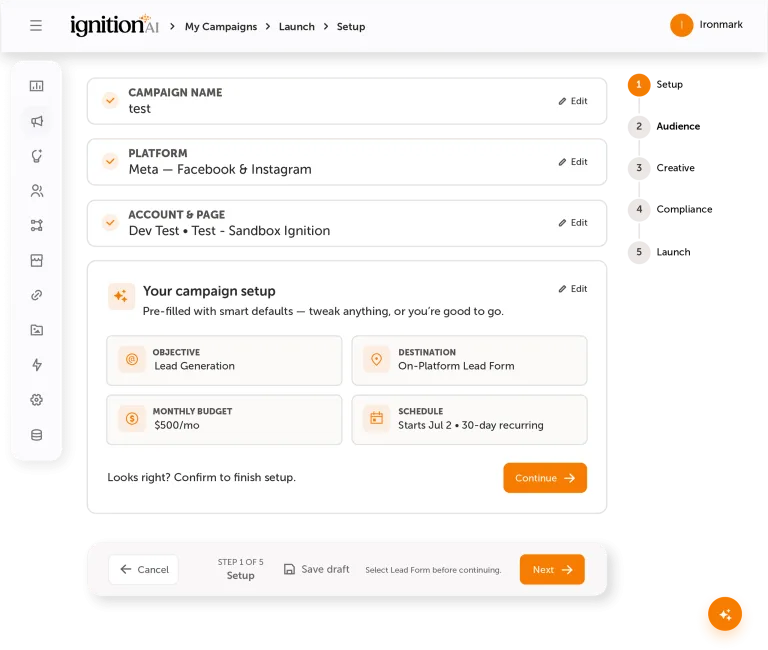
Ignition AI Campaign Builder guides users through campaign creation in five structured steps. The builder is flexible enough for real campaign work and clear enough for the people closest to the market, not just the people fluent in ad platform settings.
You get brand consistency, and your local partners get easy turnkey marketing campaigns.
Audience Intelligence at the Starting Line
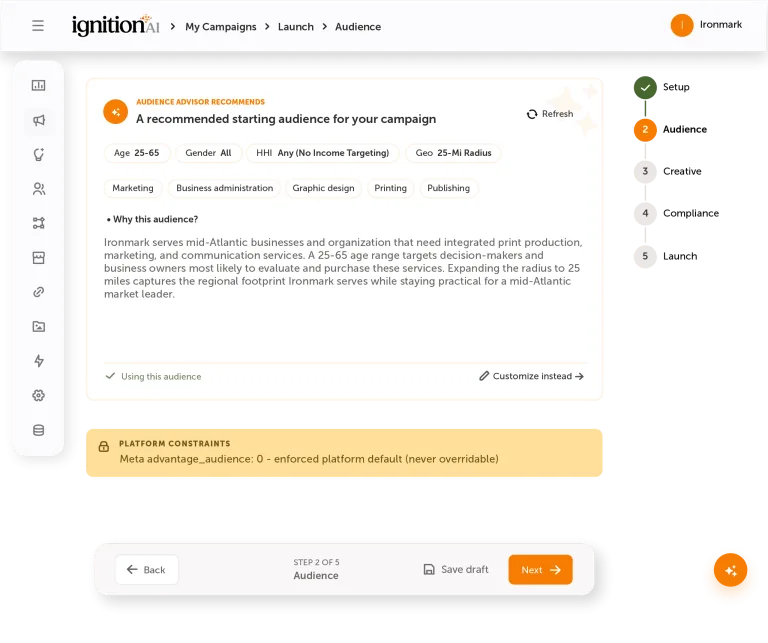
An audience advisor, powered by Iggy, generates recommendations based on campaign objective, network-wide performance, and location-specific targeting options. Teams can accept the recommendation or customize for more control, keeping audience selection guided by the platform and grounded in local knowledge.
Brand-Ready Creative in the Workflow
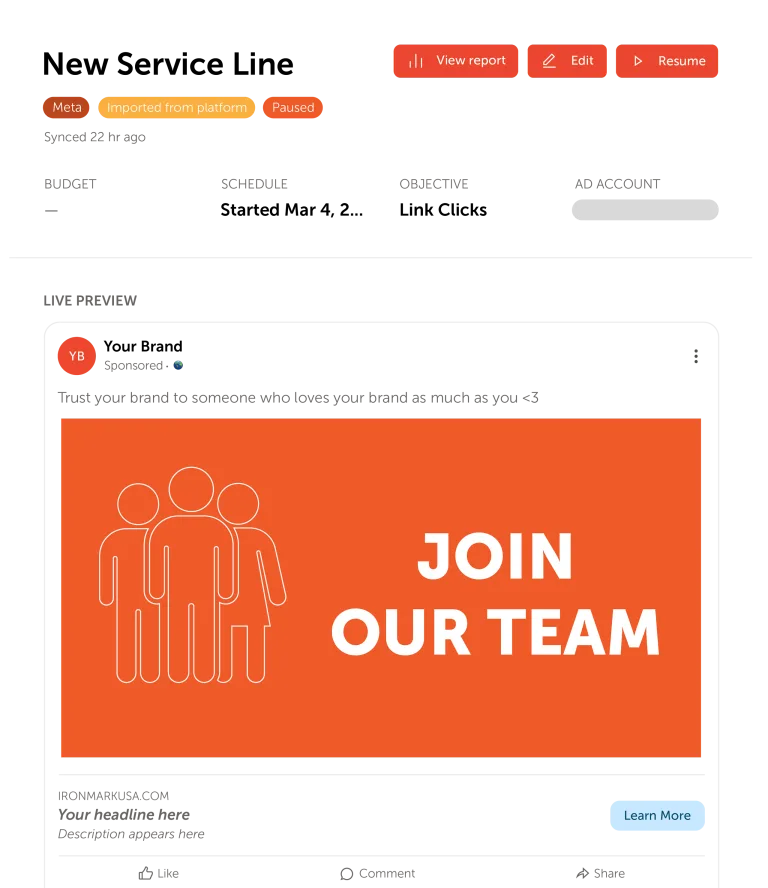
Teams can draft brand-approved copy variants with AI assistance while Digital Asset Management surfaces approved imagery directly inside the launch workflow. Live previews show how ads will appear before they reach the feed.
Compliance Built-In
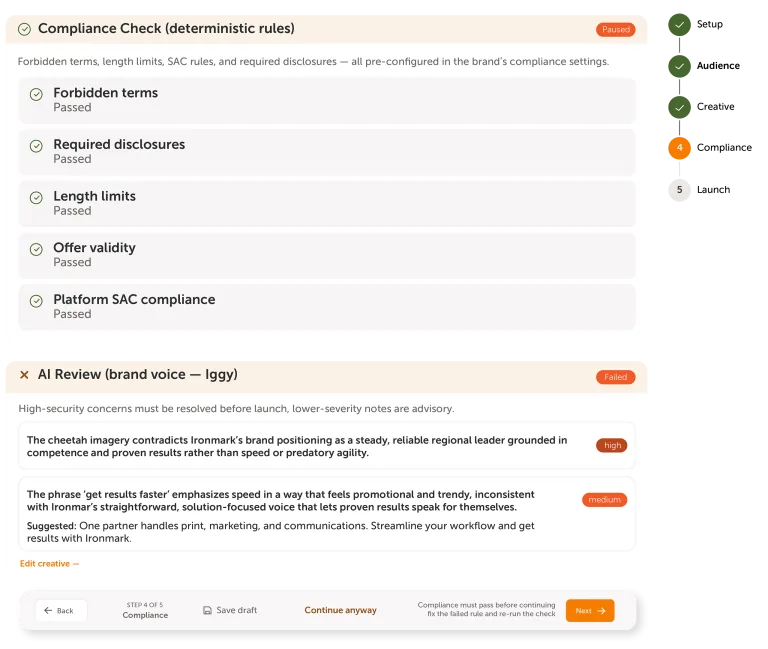
Every launch moves through defined brand-rule checks and an AI brand-voice review before publishing. If something needs a closer look, users can route it for brand review instead of inventing a workaround in the wild. Brand control is built into campaign setup, so teams can launch with fewer handoffs and more confidence.
Publishing With ROI Close Behind
Review, save, and publish paid media campaigns with confidence. Launched campaigns appear in the My Campaigns tab with status filters and a view into ROI Reporting. Launch is only the beginning. Performance stays connected, and network-wide insights keep the next campaign smarter.
Turn Strategy into Market-Level Action
Campaign Builder helps operators, dealers, advisors, franchisees, branches, and location teams turn approved plans into live local campaigns, with guidance that fits the way distributed marketing gets done.
Automotive
Always-On Service Demand

Manufacturing
Co-Op Dollars Better Used

Quick Service Restaurants
Traffic, Frequency, & Loyalty

Healthcare
Patient Acquisition Handled Carefully


Financial Services
Compliant Advisor-Led Growth


Health & Wellness
Membership Growth & Repeat Visits

Faster Launches That Keep the Brand on Course
Active Brands
Using the platform to manage local marketing execution
Locations Supported
Across local teams, operators, dealers, advisors, and partners
Platform Users
Across brands and locations
Orders Processed Annually
Helping teams move local marketing from request to execution
More to Activate Local Strategy
5 Ways to Maintain Brand Consistency Across Locations
Congratulations! Your brand is growing, expanding from a single storefront to a sprawling empire of 3, 30, 300, or even 3,000 locations. But with great expansion comes great responsibility—specifically, the responsibility of keeping your brand identity as tight as your grandma’s lasagna recipe (and just as untouchable).
What Multi-Location Marketers Get Wrong About Attribution
Attribution sounds easy—simply track what’s working and do more of it. But in reality? Most multi-location marketers are flying blind with oversimplified, misleading, or just incomplete and incorrect marketing attribution models. If you’re using the same attribution logic you’d use for a single Shopify store to measure campaigns across 30 brick-and-mortar locations, it’s no wonder things get fuzzy.
Give Local Teams the Green Light
Campaign Builder gives distributed teams the launch guidance, brand controls, and reporting visibility to scale local activation with confidence across the broader Ignition AI platform.